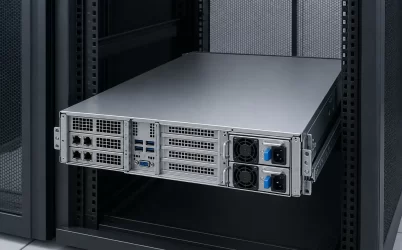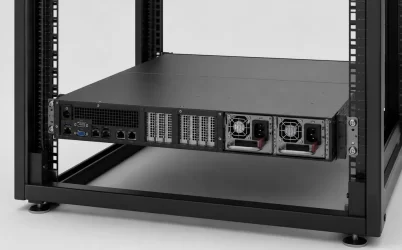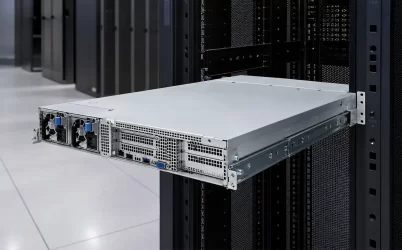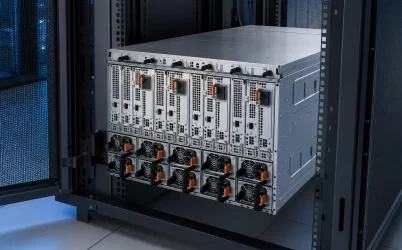
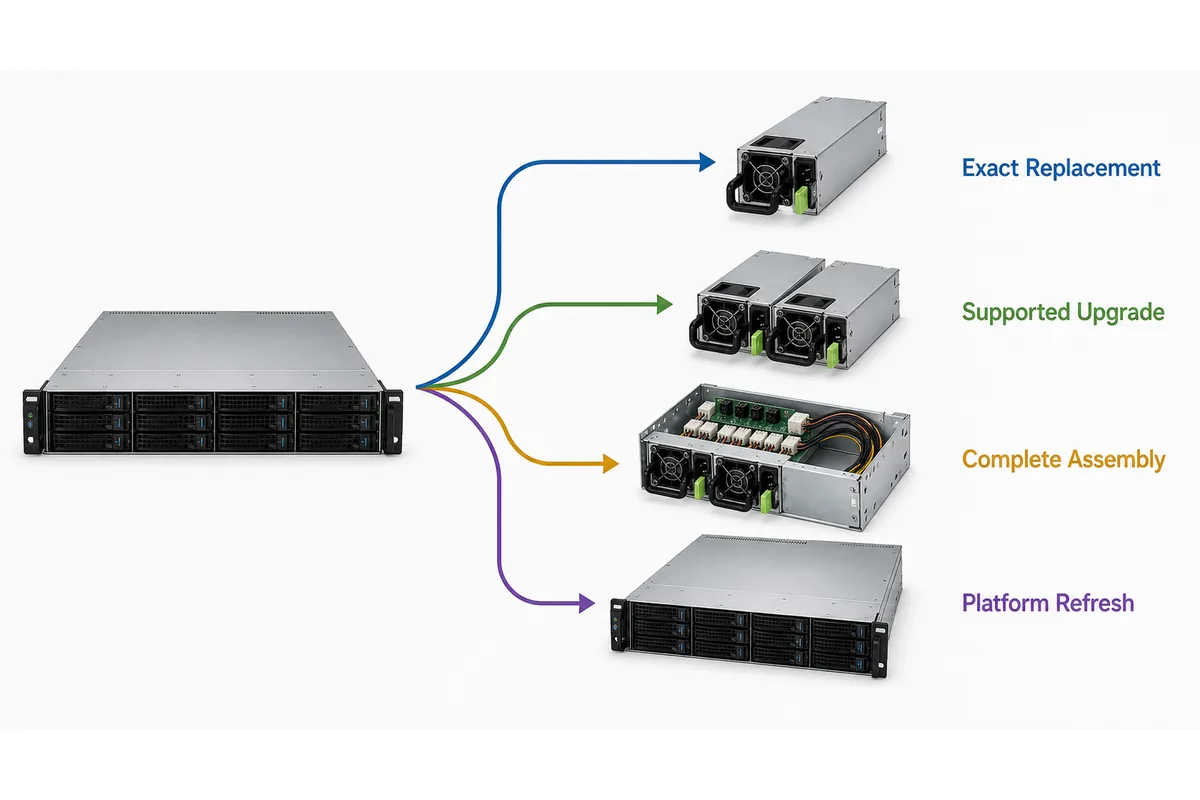
A dedicated server power supply is not a distinct or universally standardized PSU class. In purchasing, the phrase usually means a power supply for a server assigned to one customer, workload, or operational role. The practical choice is one of four paths: install an exact supported replacement, move to a platform-supported power upgrade, procure a complete power assembly, or refresh the server platform. Start with the existing host, the service objective, the required workload during a power fault, and the boundary your organization is prepared to own. Those facts determine which path is defensible before wattage, efficiency, price, or availability can be compared meaningfully.
“Dedicated” describes the server role, not the PSU interface
A dedicated server may be an enterprise rack server, a hosting provider’s single-tenant system, an edge server, or an application-specific machine. The word does not define the PSU bay, electrical interface, output architecture, redundancy mode, firmware behavior, or airflow direction.
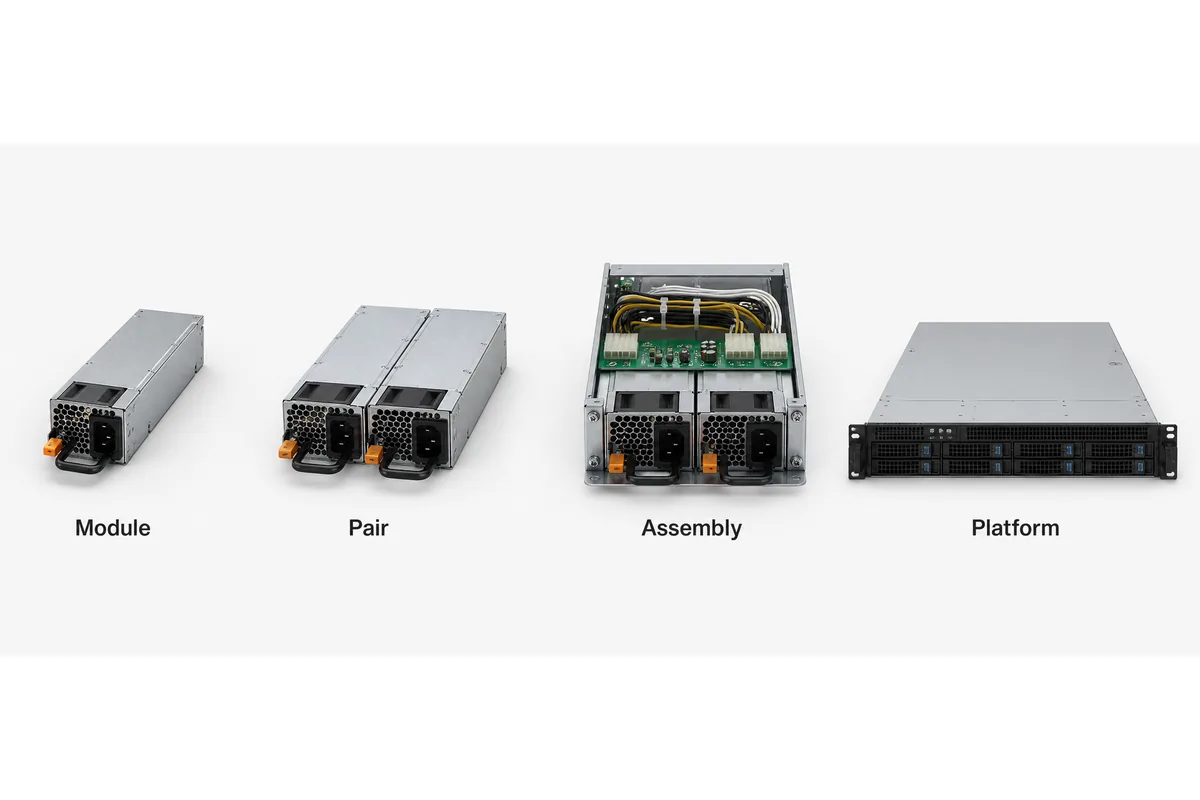
This is why a broad product search produces offers that are commercially and technically different. A listing may represent:
- one removable hot-plug module;
- a pair of modules intended for a supported redundant configuration;
- a fixed, cabled server PSU;
- a cage, power distribution board, modules, and harnesses sold as an assembly;
- or a power option available only as part of a configured server platform.
Manufacturer portfolios such as the Delta server power catalog illustrate the range of products grouped under server power. Such catalogs are useful for discovering architectures and capacity classes, but a catalog family or similar-looking enclosure does not establish support for a particular host.
The first purchasing question is therefore not “Which dedicated server PSU has the best specification?” It is “What change are we authorizing inside the existing server and support model?”
Route the purchase through one of four paths
| Procurement path | Appropriate starting condition | Typical purchase boundary | Primary risk to control |
|---|---|---|---|
| Exact supported replacement | The server configuration remains suitable and one PSU is failed, suspect, or needed as a spare | One approved module or a documented superseding part | Receiving a visually similar but unsupported module |
| Supported power upgrade | The platform remains viable, but workload or continuity requirements have increased | Vendor-supported modules, pair, option kit, or associated hardware | Assuming a higher wattage module works with the existing PDB, firmware, input, and cooling |
| Complete power assembly | A new chassis is being integrated or the existing power architecture must change | Modules, cage, PDB, output harnesses, management interface, and required accessories | Buying modules without the hardware that makes them usable |
| Platform refresh | The required capacity, support status, or service objective cannot be achieved through a documented PSU option | A supported server configuration with its intended power subsystem | Extending an obsolete or unsuitable platform through undocumented modifications |
Path 1: replace the failed or at-risk module
An exact replacement is usually the least disruptive route when the server still meets its workload, availability, efficiency, and lifecycle objectives. “Exact” should allow a manufacturer-documented supersession, but it should not be reduced to matching wattage, external dimensions, or the number of card-edge contacts.
The replacement identity comes from the server model and configuration, the installed PSU labels, the platform service documentation, and any approved substitution or pairing policy. Some platforms may permit specified PSU revisions or capacity options to coexist; others may require a matched population. The host documentation controls that decision.
Condition also belongs in the purchase. New, refurbished, and removed-from-service modules can represent different warranty, traceability, remaining-life, and inspection expectations. A low-priced spare is not equivalent to a supported service part if the seller cannot identify its manufacturer part number, revision, condition, and permitted substitution. For a model-level process, the server PSU replacement evidence checklist explains how to reconcile labels, host records, and offers without treating shared wattage as proof.
Path 2: upgrade within the server manufacturer’s supported options
A capacity upgrade is justified when the host remains strategically useful but its current PSU option no longer covers a new processor, accelerator, storage, memory, or fan configuration. The upgrade must be an option supported for the exact server configuration, not merely a higher-rated module that fits the bay.
A higher-capacity PSU can introduce dependencies involving the mating PDB, input-voltage range, power cord, firmware, fan policy, airflow direction, and permitted module combinations. Available output may also depend on documented input and thermal conditions. If preserving redundancy is part of the objective, the relevant figure is the capacity available in the required degraded state, such as operation with one module unavailable—not the sum of every installed nameplate.
The platform may need two upgraded modules even if only one existing module has failed. Conversely, replacing both modules is not automatically necessary when the manufacturer explicitly supports the proposed mixed configuration. The purchasing record should state the supported population rather than relying on a universal pairing assumption.
Path 3: buy the complete power assembly
A complete assembly is the appropriate scope when integrating a custom server, changing the power architecture, or working with a chassis that does not already contain a documented PSU ecosystem. The assembly boundary may include removable converter modules, the cage, PDB, blind-mate interfaces, output cables or busbars, standby-power functions, management connections, mounting parts, and cooling provisions.
This path prevents a common commercial mismatch: one supplier quotes bare modules while another quotes a functional redundant subsystem. Their prices cannot be compared until the supplied hardware and engineering responsibilities are normalized.
The integrator must still establish host-level suitability. A complete assembly does not prove that downstream connectors match the motherboard, that current is distributed appropriately among load zones, or that the BMC can interpret the available status and telemetry. It does, however, create a controlled subsystem boundary instead of forcing unrelated modules, boards, and harnesses into an undocumented combination.
Path 4: refresh the server platform
A server refresh becomes more defensible when keeping the existing host would require unsupported substitutions, a new PDB, custom cabling, firmware changes, extensive thermal work, or an operating condition the platform was not designed to support. It is also relevant when service parts are scarce enough that continuity depends on uncertain secondary-market inventory.
Refresh does not automatically mean that newer hardware has a lower total cost. Migration effort, software licensing, validation, data movement, rack changes, and downtime may favor an exact spare for a stable workload. The question is whether the PSU project remains a contained service action or has expanded into an unofficial redesign of the server.
A requirement card keeps the four paths from overlapping
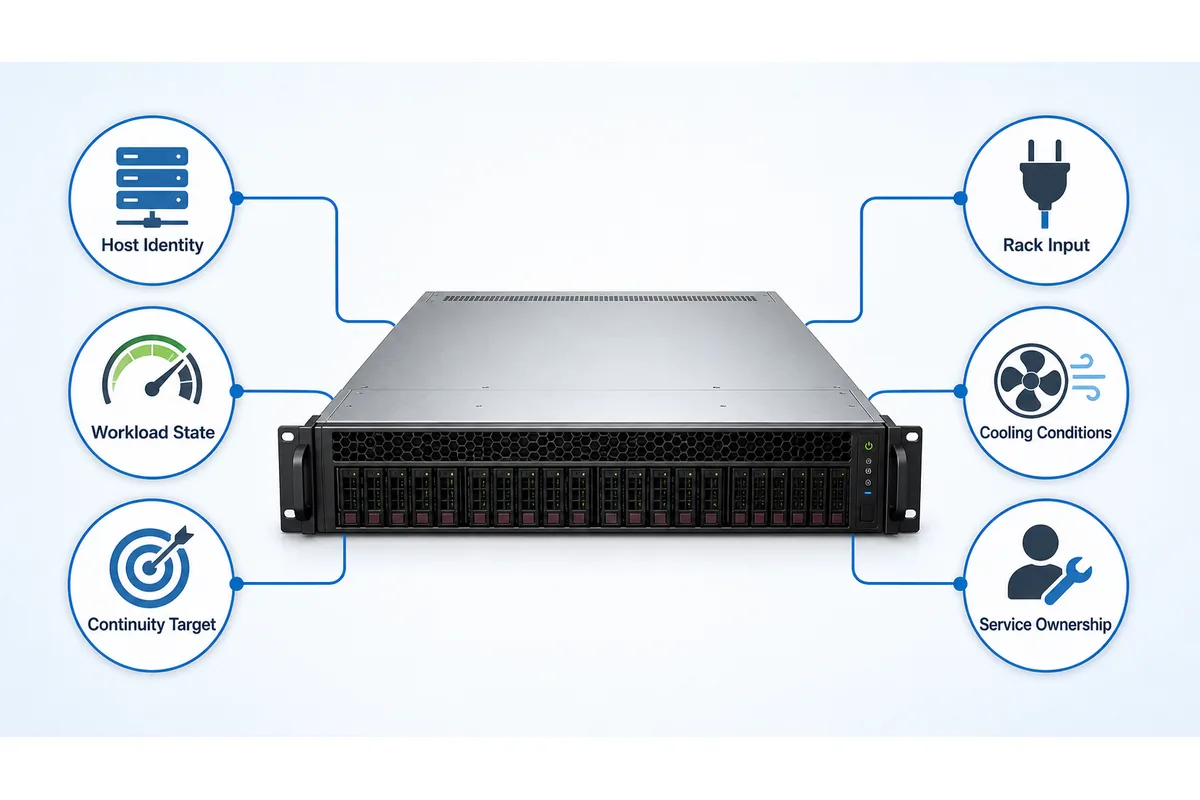
A one-page requirement card should be created before contacting suppliers. Its purpose is not to reproduce every interface specification; it is to make the purchasing branch and ownership boundary visible.
- Host baseline: server manufacturer, model, configuration identifier, installed PSU part numbers and revisions, module quantity, firmware baseline, and current power architecture.
- Service objective: failed-unit replacement, fleet spare, workload expansion, redundancy improvement, new chassis integration, or lifecycle refresh.
- Required operating states: startup, representative workload, permitted peak state, operation after the specified module or feed loss, service, and recovery.
- Continuity target: the workload that must continue, the fault it must survive, and whether workload reduction or power capping is an approved degraded-state response.
- Rack conditions: available source voltage and frequency, PDU outlet and cord arrangement, planned A/B feeds where applicable, and restrictions at staging or recovery sites.
- Cooling conditions: airflow direction, server fan policy, inlet environment, altitude where relevant, and any platform-defined output derating.
- Ownership boundary: whether the server vendor, hosting operator, integrator, or equipment owner authorizes substitutions, installation, firmware changes, and live service.
- Commercial horizon: required quantity, spare coverage, expected reorder period, warranty expectation, and acceptable product condition.
The workload entry needs more precision than an average management reading. A server that operates comfortably with two modules sharing power may exceed the supported capacity of one remaining module during a workload excursion. If continuity matters, compare the documented surviving configuration with the workload state that must remain online. Powernexu’s explanation of redundant server power supply ratings separates module wattage, protected capacity, efficiency, and derating without turning them into one catalog number.
Compare catalog offers by what remains unchanged
Once the procurement path is selected, compare offers against that path instead of ranking every server PSU listing in one table. A lower price may simply represent a smaller supply scope or transfer more integration work to the buyer.
| Comparison field | Question for the seller or platform owner | Why it changes the purchase |
|---|---|---|
| Offered object | Is the line item one module, a pair, an option kit, or a complete assembly? | It determines what can be installed and what additional hardware remains necessary. |
| Product identity | Which manufacturer, model, revision, and condition will be shipped? | It prevents uncontrolled “equivalent” substitutions. |
| Host support | Which server, PDB, firmware, and module population support the part? | Mechanical insertion alone does not establish platform operation. |
| Capacity state | What output is available under the required input, thermal, and degraded conditions? | The nominal rating may not describe the protected workload boundary. |
| Included hardware | Are the cage, PDB, harnesses, cords, mounting parts, and management connections included where needed? | Missing assembly components can make an otherwise valid PSU unusable. |
| Lifecycle terms | Can the same controlled part be reordered, and how will substitutions be communicated? | A one-time purchase may not support fleet spares or future service. |
Efficiency should be interpreted at the expected operating point and applicable input condition rather than used as an isolated ranking badge. It affects AC demand and converter heat, but it does not compensate for unsupported host use, insufficient failed-state capacity, or missing hardware. Likewise, hot-swap capability matters only when the server architecture, healthy module, and authorized service procedure permit removal under load.
Recognize when a PSU upgrade has become a platform redesign
The boundary between upgrade and refresh is crossed gradually. One additional module may appear simple until it requires a different PDB, new cables, a revised airflow path, another input circuit, firmware changes, and a nonstandard service procedure. At that point, the organization is no longer purchasing a PSU option; it is assuming responsibility for a modified power system.
Several unresolved conditions favor a platform refresh:
- no supported replacement or superseding part can be identified;
- the highest supported PSU option cannot carry the required workload in the intended degraded state;
- all supported configurations depend on rack input or cooling conditions unavailable at the deployment site;
- the proposed change requires undocumented pinouts, custom adapters, or unapproved module combinations;
- future spares depend on inconsistent listings with no controlled identity;
- or the server’s remaining service life does not justify a new power-distribution subsystem.
These conditions do not make reuse technically impossible in every case. They indicate that the risk, evidence burden, and ownership boundary have changed. A custom integration program may still be valid, but it should be recognized and managed as engineering work rather than represented as routine PSU replacement.
Keep the selected route intact through the transaction
RFQ and receiving
Name the selected path and exact shipped object. For a replacement, identify the target host and approved part or documented supersession. For an upgrade, state the supported configuration and required module population. For an assembly, list included subsystem parts and exclusions. For a refresh, specify workload and continuity outcomes. Require quantity, revision, condition, warranty, documentation, and written approval for substitutions.
Before installation, reconcile shipped labels, revisions, quantity, condition, and accessories with the approved line item. Resolve damage, altered labels, missing hardware, or unexpected revisions while the commercial record remains open; physical insertion or power-on alone is not acceptance.
Deployment and ownership
Use the server or assembly provider’s procedure. Confirm host recognition, management status, alarms, fan behavior, and restoration of the intended PSU population under authorized conditions. Perform live removal only when platform documentation, available capacity, operational procedures, and site safety rules permit it.
Choose the smallest supported change that closes the service objective: an exact spare, documented upgrade, or complete assembly. If the change requires unsupported hardware or operating conditions, treat platform refresh as the clearer engineering and commercial boundary.