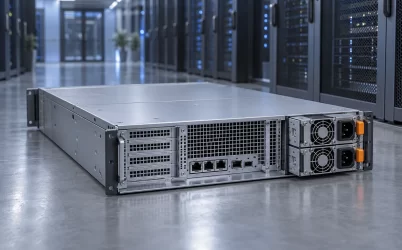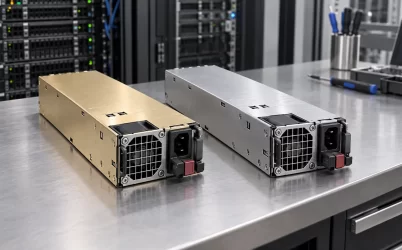
A quiet 1U server power supply is not simply a PSU with a slow fan. In a one-rack-unit enclosure, the small cooling path has to remove heat from the converter while the server’s other fans maintain airflow through processors, memory, and drives. Reducing PSU fan speed without understanding that path can trade an audible nuisance for a thermal fault. The practical answer is to compare acoustics under the intended server load and inlet temperature, identify whether the PSU or the chassis is the dominant sound source, and choose only a module that the exact host can support. A marketing word such as “quiet” is not an acoustic measurement.
First locate the noise, because a 1U chassis contains several fans
A person standing beside a rack hears the combined server, not an isolated power supply. The PSU fan may be small and fast, but a row of high-pressure chassis fans can dominate the sound. Storage drives contribute tonal vibration; intake grilles and blanking gaps can add airflow noise. A replacement PSU cannot silence a chassis fan controller reacting to a hot CPU inlet. Before changing hardware, note the sound at idle, at a representative sustained workload, and during a short high-load period. Check whether the loudest change coincides with PSU fan speed, chassis fan speed, or drive activity reported by the server.
Physical listening can help locate an obvious source, but it is not a substitute for safe measurement. Do not remove a PSU cover or place an instrument into moving fan blades while the module is powered. A directional acoustic probe or repeated measurement positions outside the running chassis may help compare sources. If management telemetry reports separate PSU and system-fan speeds, correlate those readings with the sound rather than assuming that the visually nearest fan is responsible. A periodic pitch change tied to the PSU’s load or inlet temperature suggests a different problem from a constant broadband roar created by the main fan wall.
There is also a basic distinction between a defective unit and a normally loud design. Bearing wear, a foreign object in a grille, or a loose fan shroud can produce rattling or scraping that a healthy replacement resolves. The normal airflow of a high-power 1U platform may still be plainly audible after that repair. If the goal is office or edge-room placement rather than equipment-room operation, the acoustic target must be stated for the whole installed server, not just for one replaceable component.
Why 1U height makes a low-noise promise conditional
One rack unit gives the equipment a shallow vertical envelope. A PSU designer generally has less room for a large-diameter, low-speed fan and for a generous, low-resistance air channel than in a taller enclosure. Narrow ventilation passages, dense heat-generating components, and the resistance of a rear grille can demand substantial static pressure. A fan that moves enough air on an open bench may deliver less flow once it is installed behind a restrictive bezel, cable bundle, or adjacent server feature. The fan’s operating point depends on the pressure resistance of the full path.
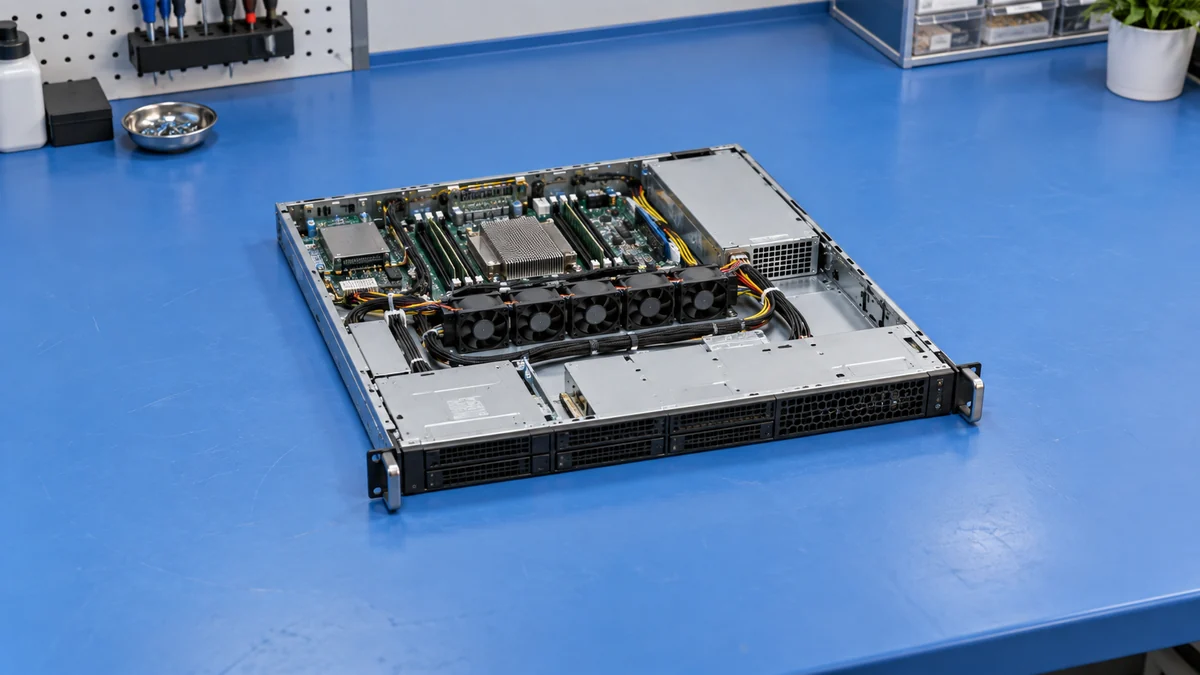
That is why a catalog photo of a larger fan does not prove a quieter 1U result. Fan blade design, speed control, grille shape, inlet temperature, module efficiency, and the chassis pressure curve all matter. A more efficient converter can reduce internal heat at the same DC load, potentially allowing lower fan speed, but the host may still run its system fans according to CPU or memory temperature. Conversely, a thermally well-matched supply with a modest fan may sound less intrusive than one with a larger fan that repeatedly ramps as hot exhaust recirculates into its inlet.
Airflow direction is part of compatibility. Server families can draw air from different sides of a module, and the apparent front and rear of the PSU do not by themselves define how air moves through the chassis. Reversing the intended direction can recirculate warm air or work against the chassis fans. A noise reduction achieved by using the wrong airflow variant is not a successful upgrade. The appropriate module, cage, ducting, and control behavior are established by the server platform and the approved PSU configuration.
Read dB(A) together with its test condition
An acoustic number is meaningful only with the stated measurement method and operating state. Sound pressure at a specified distance is not the same quantity as sound power, which describes the source more independently of a room. Background noise, microphone position, inlet temperature, load, fan mode, and whether the supply is inside a chassis all influence a comparison. Two listings that both say “40 dB(A)” might not have measured the same thing. The same PSU can be quiet at light load and substantially louder when inlet air warms or output demand rises.
An Intel server platform technical specification gives a concrete example of why conditions matter: its PSU acoustic requirements describe fan speed as a function of load and ambient temperature and call for a report of the fan model, speed, and sound-power values at defined conditions. Those requirements belong to that historical platform, not to every current 1U PSU. Their broader lesson is that an acoustic claim needs a test state. A standalone value without the operating point does not tell an integrator what a server in a warm rack will sound like.
A-weighting reflects a standardized frequency weighting that broadly approximates human hearing sensitivity, but two noises with similar dB(A) values can still feel different. A narrow high-pitched tone, low-frequency hum, and smooth airflow sound are not equally distracting in an occupied workspace. The spectrum and temporal behavior matter: a stable fan at a moderate level may be less objectionable than a fan that surges every few minutes. For a rack close to people, listen to an actual installed configuration as well as reading the acoustic number.
The room changes the reading too. A hard-walled closet reflects fan noise differently from an open lab; a rack door can attenuate some frequencies while restricting inlet or exhaust flow. A test performed with the door open may make the server seem louder at the listener’s position yet keep its inlet cooler. Closing it can reverse the thermal condition and provoke higher fan speed after several minutes. Record the door state, background level, microphone distance and operating duration whenever two installed configurations are compared. Those details explain why a promising one-minute demonstration can fail in daily use.
Fan-control behavior can defeat an apparently quiet specification
A PSU fan controller responds to its own sensors or to commands from the server, depending on the design. The host’s BMC may also use PSU status, current sharing, and thermal data when setting the system fan curve. An electrically compatible aftermarket module can still cause a conservative fan response if the host cannot interpret its telemetry or cannot recognize the supported part. Some platforms deliberately run chassis fans at a high safety speed when sensor data is absent. The noise complaint then arises from integration behavior, not the acoustic performance of the replacement PSU itself.
Redundant configurations add another operating state. With two modules present, each may carry a share of the DC load; removing one raises the survivor’s load and may raise its fan speed. If the chassis uses an open PSU bay during service, changed airflow impedance can also cause system fans to respond. A quiet normal-state result should not conceal an unacceptable or thermally risky service state. In a data center, that temporary noise may be irrelevant; in a compact network room adjacent to users, it can matter operationally. The point is not to demand silence through a failure, but to understand the actual sound and cooling behavior of the required topology.
Acoustic settings in firmware deserve care. Lowering a fan-speed profile may be possible on some server platforms, yet it can reduce thermal margin for drives, voltage regulators, or the PSU. A change that looks harmless at room temperature might fail during a hot day, a dust-loaded filter, or sustained compute work. If the host offers supported acoustic or thermal modes, use their documented limits. Avoid forcing fixed low fan speed through unofficial controls as a substitute for a compatible module and proper airflow path.
What a useful side-by-side comparison looks like
Compare candidate supplies in the same chassis, not on unrelated open benches, if the decision concerns a specific deployed server. Hold the server configuration, firmware mode, inlet temperature, workload, and measurement position as constant as practical. Record a baseline with the existing supported PSU; then repeat with the alternative. The most revealing sequence is not a single maximum-noise reading. It is the pattern across idle, normal duty, sustained high load, and the redundant single-module state if that state is supported. Listen for sudden ramping or tonal artifacts as well as the broad level.
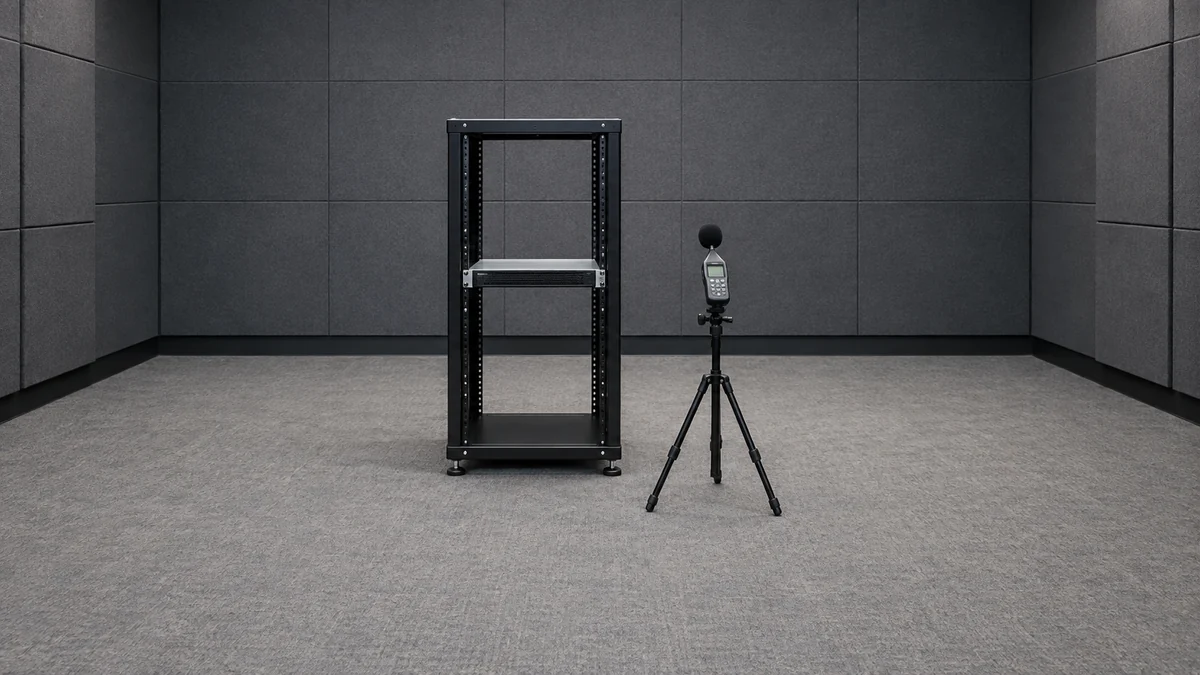
Measure temperature while interpreting noise. A quieter candidate that leaves a PSU exhaust or server hot spot warmer may have less thermal margin even though the server remains running during a brief trial. The direction of change is informative, but a short observation cannot establish lifetime reliability. Monitor the platform’s supported temperature sensors, fan speeds, and fault events over a representative workload. A supply that keeps both sound and thermal behavior stable at the real operating point is more useful than one that scores well only at idle.
Do not compare a 500 W low-power module against a much larger hot-swap unit solely by ear and call one design better. Their conversion losses and cooling obligations differ, and they may serve incompatible hosts. For replacement work, the mechanical bay, connector, DC outputs, standby behavior, management interface, fan orientation, and supported power capacity must match the exact system. For a new low-power edge appliance, the designer may have more freedom to choose a lower-heat conversion architecture, but the complete host still needs to reject that heat somewhere.
Move the acoustic problem to the right part of the system
If the PSU is the dominant source and a quieter approved module exists, replacement is a direct answer. If the chassis fan wall dominates, changing the PSU alone is unlikely to meet the target. A different chassis design, lower-impedance airflow route, cleaner inlet filter, or revised supported fan policy may help more. In a small office, physical relocation or a properly ventilated acoustic cabinet can sometimes solve the human problem without disturbing the server’s thermal design. The cabinet must not trap exhaust or recirculate warm air back to the rack inlet.
For new equipment, a taller chassis may be worth considering when acoustic comfort is a primary requirement. A 2U design can allow larger fans and more open flow paths, although it is not automatically quiet; high-power GPU or storage loads can still require aggressive cooling. A genuinely low-power 1U appliance may accommodate a fanless or very-low-noise converter when the complete enclosure supplies a verified passive or system-fan heat path. That is a system architecture choice, not a universal drop-in replacement for a high-output redundant 1U PSU.