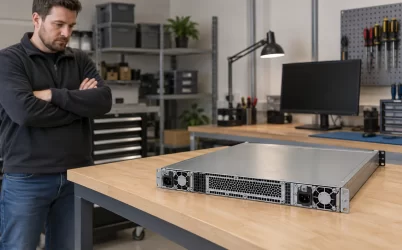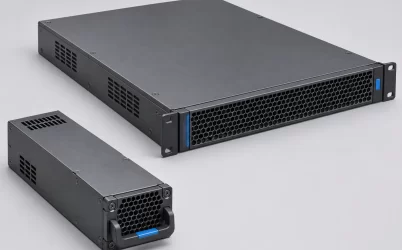
A server can shut down after one power supply fails even when two modules are installed. The pair may have been running without usable redundancy, the surviving module may not support the active load, both modules may depend on a failed upstream source, or the host may deliberately shut down when its power policy can no longer be met. Less commonly, the first fault reaches a shared distribution component that the second module cannot bypass. The useful question is not simply whether the rear panel has two PSU handles. It is what electrical path and operating capacity remained at the instant the server stopped.
Do not assume that the component reported as failed caused the shutdown by itself. A management log may report lost AC input as a PSU event. Another event may have preceded it, or the server may have been nonredundant before the visible failure. Preserve the event sequence, the host’s documented redundancy mode and the power configuration before replacing hardware. The following distinctions explain why apparently similar outages need different remedies.
Two installed supplies may provide no surviving capacity
Redundancy is a property of a defined failure case, not of a parts count. In a conventional supported 1+1 configuration, one healthy module can carry the required protected load after the other disappears. If both supplies are needed to serve the current workload, the same two installed modules are operating as a capacity pair. A loss of either can leave too little power for the server to continue, even though both modules were contributing during normal operation.
Some platforms make that difference explicit in firmware. For example, the HPE ProLiant DL380a Gen11 user guide describes four-supply 2+2, 3+1 and 4+0 modes with different outcomes after a supply fails. In its 4+0 mode, the system can initiate an operating-system shutdown after a PSU failure because there is no reserved redundancy. That is a specific server’s documented behavior, not a universal rule for every four-PSU machine. A dual-PSU host can likewise be configured or loaded in a way that gives the second module no adequate reserve.
The normal-state load split cannot answer the question alone. Two 800 W modules each delivering roughly 500 W to a 1,000 W DC load may look balanced, yet neither can support the full load on its own. Conversely, a pair carrying only 500 W total may have plenty of one-module headroom if the host and module ratings support it. The wattages here are illustrative arithmetic, not a rating for any Powernexu or OEM model. Real capacity depends on the exact module, input voltage, ambient conditions, host limits and transient workload.
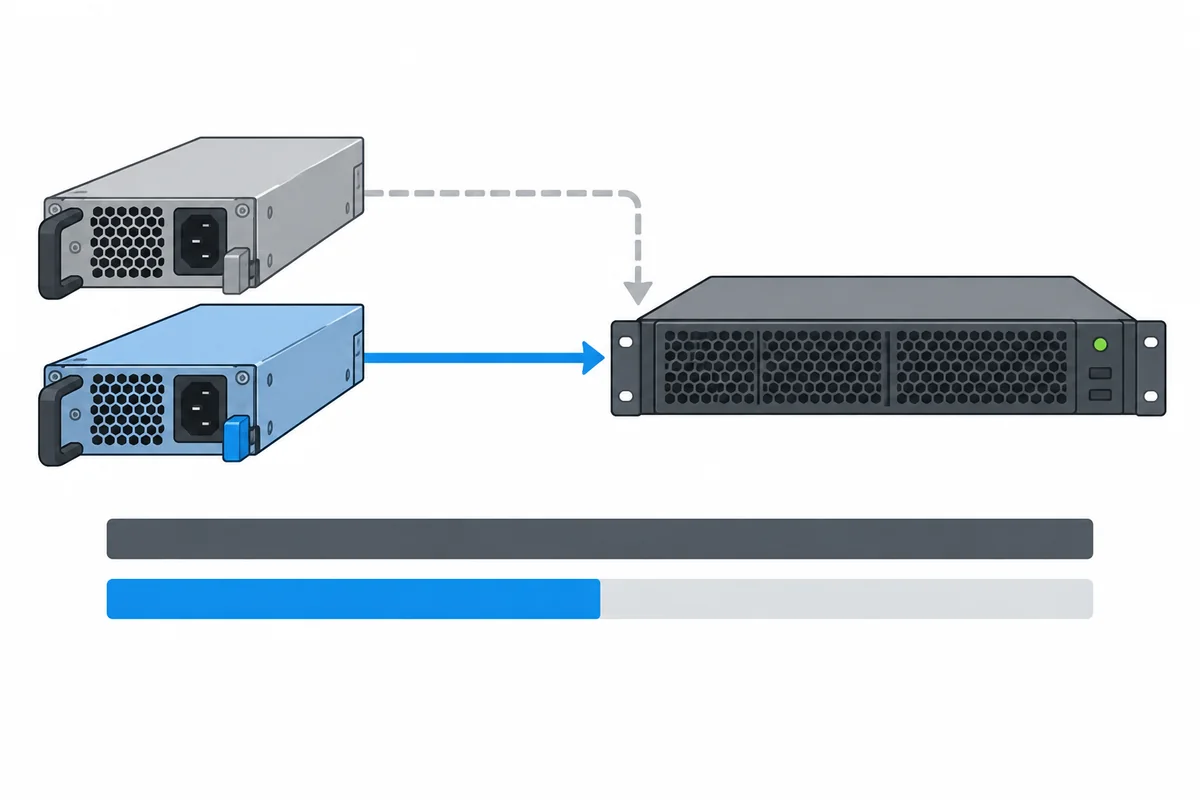
Insufficient surviving capacity can leave the host unable to continue at its existing load. A graceful operating-system shutdown is not evidence that the failed PSU continued to supply power; it can be a controlled response to a lost capacity margin. Check the host documentation for any applicable power-control behavior instead of inferring it from the shutdown alone. The outcome must be read against that platform’s actual power-control policy.
The second module may have been unavailable before the alarm
A server that went dark after “one PSU failure” may have lost its last usable source. The other module might have had no AC input, been only partly seated, carried an incompatible type or firmware, or already reported a fault that went unnoticed. In that case the latest event is not the first loss of redundancy. Historical management events and rack PDU records matter more than the number of cartridges still visible after the outage.
Distinguish a failed PSU from lost input to an installed module, an incompatible module, and degraded redundancy using the exact platform’s event definitions. These observations are not interchangeable diagnoses. Determine whether the supposed survivor was available before the first module stopped delivering output. A healthy module with an unavailable upstream feed cannot support the host from that feed.
Consider a maintenance window in which one rack feed had been disabled the previous night. The server stayed online because its other PSU and feed remained healthy. The next day that active module failed, and the server shut down. An observer might describe this as “redundancy failed after one PSU died.” The event history instead describes two separate losses over time. Replacing the failed module addresses only the second loss; restoring and checking the first feed is also necessary.
Do not use a live pull test as the first way to establish whether a server is redundant. It can turn an uncertain condition into an outage. Read the host’s supported modes and available management evidence first, then use the manufacturer’s approved service or failover procedure during a controlled window if a physical test is justified.
The outage clock separates several failure mechanisms
Timing is often the most informative evidence. A host that goes off at the exact moment a module or source fails suggests an abrupt loss of available DC power, a protection event, or a power-management action with no hold-up. A host that continues briefly or logs capacity warnings, then shuts down suggests a changing load, a policy response or a protective limit on the remaining path. A host that stays on for minutes and later stops may point toward a thermal condition, a missing cooling path or an unrelated second event.
These are hypotheses, not one-to-one symptom codes. A management controller can buffer or delay an event; its clock may not align perfectly with an operating-system log or a rack PDU log. After a restart, record the approximate wall-clock time of the first alarm, the OS shutdown request if any, the last hardware sensor updates and the PDU input transition. If the server’s clock reset during power loss, use the sequence and relative intervals rather than forcing a false second-by-second match.
A sudden loss without a clean OS shutdown is especially different from an orderly OS shutdown. The former may leave no time for the host to log the final voltage collapse. The latter shows that some control power and software function remained long enough to make a decision. It does not prove that the hardware was healthy, but it narrows the mechanism toward power policy, managed derating or another commanded shutdown. Storage logs can reveal whether the OS began stopping services before power disappeared.
Follow the input path before blaming the cartridge
Two cords provide two connectors, not necessarily two independent sources. They may enter separate outlets on the same PDU, two PDUs supplied through one upstream circuit, or two UPS outputs with a common bypass or maintenance point. If the shared element fails, both PSUs lose input. The server then shuts down not because a one-module failover was weak, but because there was no powered module left to take over.
A different input problem is a single feed that remains energized but cannot support the survivor at its higher post-failure demand. Some power supplies have input-dependent output ratings or input-current limits. A module advertised at a high-line rating may provide less usable output on low-line AC, depending on its exact datasheet and host integration. The surviving module’s capacity must therefore be compared at the voltage it actually received during the event. Do not infer low-line output from the largest number printed on its label.
The rack-side evidence is concrete: which PDU outlet fed each module, what the upstream topology was, whether either breaker or UPS reported an event, and whether the PSU log says “module failed” or “input lost.” The correct repair could be cabling, distribution, feed capacity or a module. The server’s monitoring interface can often reveal PSU input presence, but it cannot prove independence all the way to a facility source unless that path is separately documented.
A shared internal path can defeat two good modules
Both PSU outputs commonly meet inside a cage, midplane or power distribution board before they reach the server loads. Suitable isolation and control are intended to keep a failed module from pulling down the healthy bus. If a fault occurs in a shared component, however, the second module may have no alternate route around it. A short on a shared output bus, damaged connector or distribution component can therefore produce a shutdown that looks like a failed PSU pair from outside.
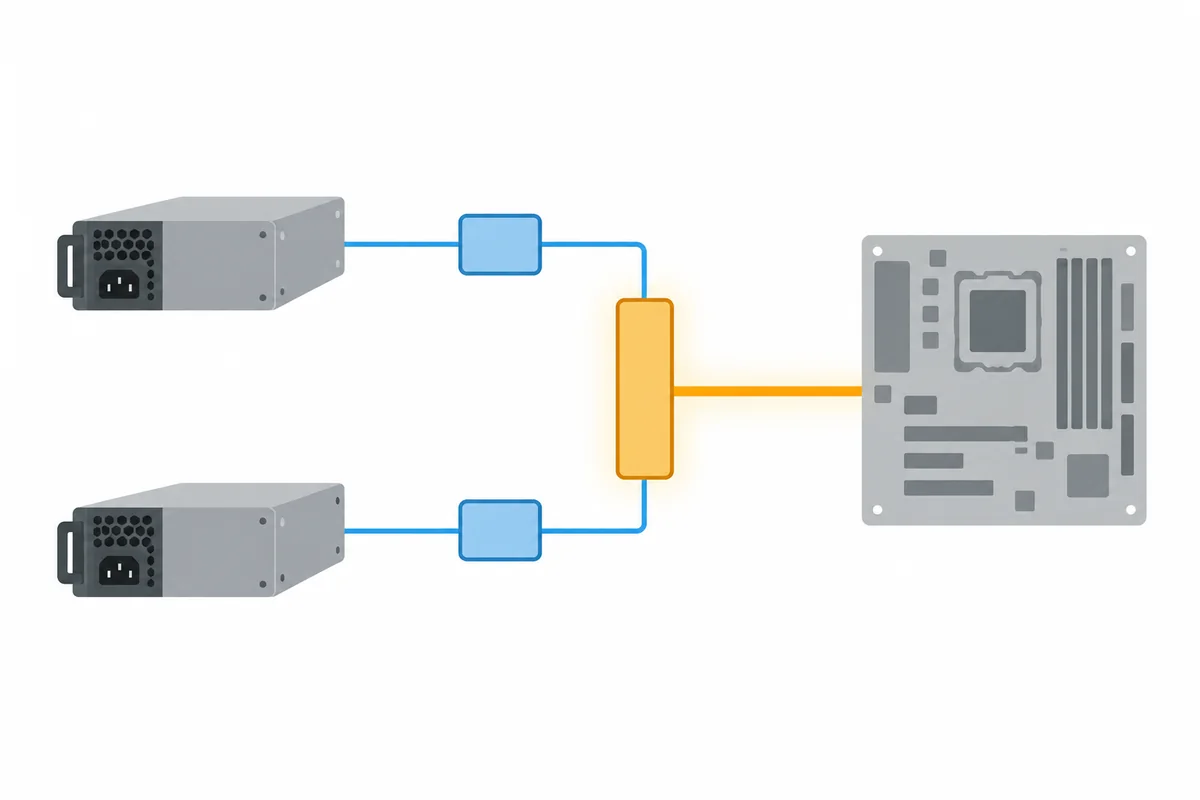
That possibility should not become an automatic diagnosis. Internal power distribution is host-specific, and opening a chassis or probing a live high-current bus creates electrical and service risks. An authorized technician should use the exact service manual and supported diagnostic data. Compare whether the event was isolated to one module bay, whether the remaining module was reported healthy and powered, and whether a common board or system-power fault was logged. A replacement PSU that fails immediately in the same bay is a reason to stop treating the cartridge as the only suspect, not a reason to keep inserting spares.
Trace the documented output architecture before treating the whole server as one undifferentiated load. If the host has separate power domains, establish which loads each domain serves and what its specified loss-of-capacity response is. Do not infer that response from the PSU’s CRPS label or from a different platform’s shutdown policy.
Heat can make the failure delayed
In a load-sharing configuration, a surviving module may carry more output after its partner fails if the host maintains the workload. Conversion losses and cooling demand can then increase, subject to the module’s actual operating efficiency and fan control. A delayed stop warrants checking recorded thermal events as well as the electrical event sequence; timing alone does not establish a thermal cause.
Inspect recorded inlet temperature, fan status and power-module thermal events against the exact host manual. Dell’s PowerEdge troubleshooting guide requires system bays to contain a component or blank for proper operation and cooling. This supports following the documented bay-population rule, rather than assuming an open bay improves cooling. It does not establish the shutdown timing or airflow pattern of every server.
What the shutdown actually tells you
After a one-PSU event, an unexpected server shutdown establishes only that the required operating state was not preserved. It does not, by itself, identify the failed component. The most revealing evidence is whether redundancy existed immediately beforehand, which source and module remained available, how much capacity that path had at its actual input and temperature, and whether the host shut down abruptly or issued an orderly command. A failure confined to one cartridge, a common upstream outage, a shared PDB fault and a deliberate power-policy shutdown can all produce the same dark front panel.
The remedy follows that distinction. Restore an absent independent feed if the survivor had no input. Reduce demand or choose a host-supported capacity configuration if one module cannot carry the protected workload. Resolve a documented compatibility or power-policy mismatch when the pair was never redundant. Escalate a suspected shared distribution fault to the platform’s service procedure rather than swapping cartridges repeatedly. A server should be called protected against a PSU failure only when the specified failure leaves a supported, powered and adequately cooled path for the workload that actually matters.