A server power supply and a desktop power supply both convert input power into regulated DC, but they are not interchangeable categories. The deciding difference is the contract with the computer around them: mounting space, output connector and rail arrangement, control signals, cooling direction, and whether the unit can be replaced while the host runs. A tower server designed for a cabled ATX supply may legitimately use one; a rack server with blind-mate removable modules normally cannot accept a desktop ATX unit. Conversely, a CRPS-like server module does not become a desktop PSU because its wattage looks suitable. It needs the mating chassis interface and power-distribution hardware it was designed to use.
That answer is more useful than saying “server units are stronger.” Both markets contain small and large supplies, and their efficiency or reliability depends on actual models and operating conditions. The comparison is about the mechanical and electrical relationship with the host. Start by identifying the type of supply the particular computer expects; then compare specifications inside that family.
“Server PSU” describes a job, not one universal plug
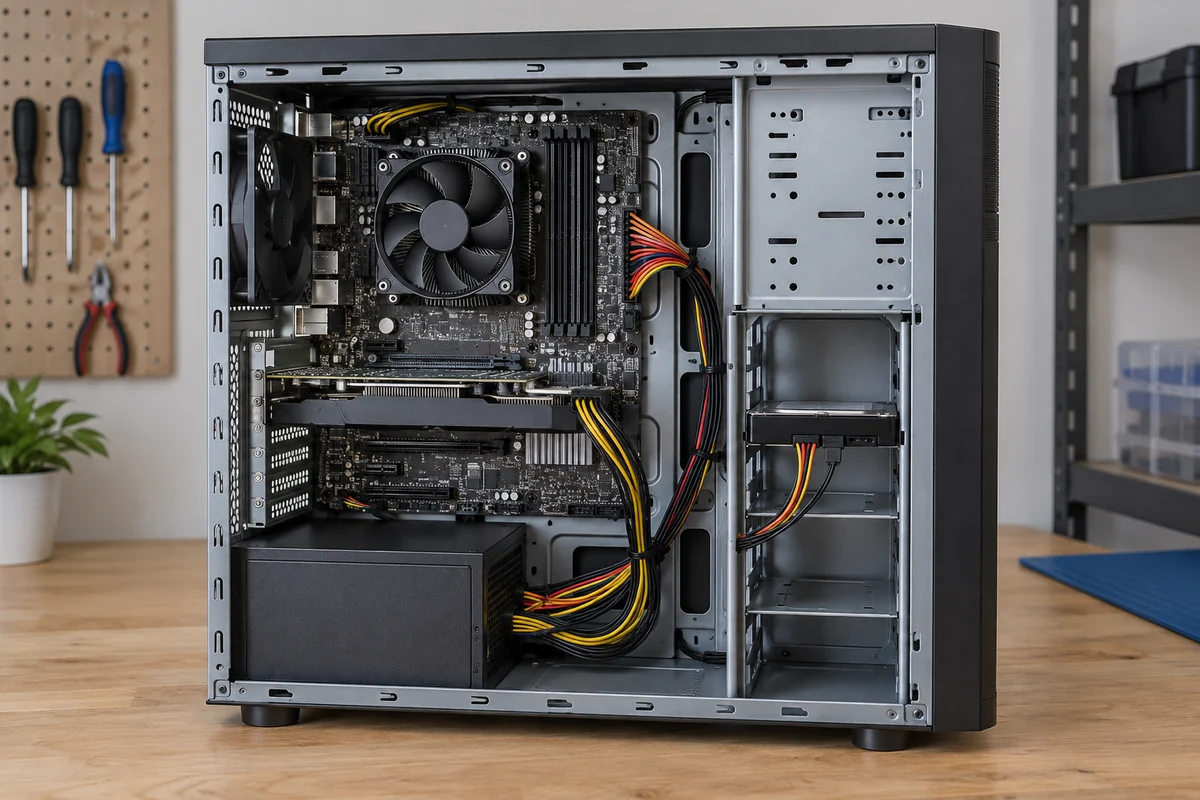
Desktop systems commonly use an enclosed, cabled supply in an ATX-family mechanical space. A typical multi-rail ATX design provides a main motherboard connector plus separate CPU, graphics, and peripheral cables. But even desktop supplies are not one unchanging interface. Intel’s ATX Version 3.0 desktop design guide defines its main power connector, whereas its ATX12VO guidance uses a different 12 V-only desktop connector scheme. Calling every desktop PSU “the 24-pin type” overlooks a real variation.
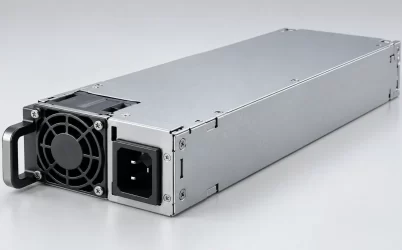
Servers vary more visibly. Some entry or tower servers use an ATX-style cabled supply. Compact rack units may use narrow fixed supplies or proprietary removable cartridges. A CRPS or M-CRPS implementation uses a defined modular interface with a chassis-side mating connector, although the exact revision and host options still matter. Rack power shelves place conversion at yet another level. None of these packages can be selected by the word “server” alone.
That range also prevents an easy quality ranking. A well-specified desktop unit and a poorly matched server module are not a meaningful comparison. The relevant question is whether the PSU’s outputs and controls reach the motherboard and loads through the topology the host was built to use. Powernexu’s server PSU form-factor comparison covers the range of server-side packaging families; here the narrower question is what changes when someone tries to substitute a desktop supply for a server design or the reverse.
Follow the output path to see why a shape match is insufficient
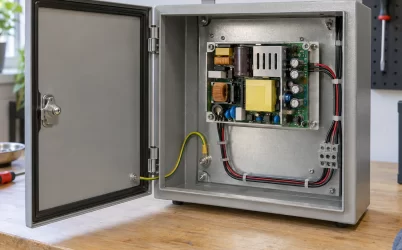
A cabled desktop supply ends in plugs that mate with motherboard and device connectors. Its cable set carries the rails and control relationships expected by that board design. The supply’s enclosure is mechanically secured, while its output harness reaches the load through discrete cables. Cable length, connector population, and clearance behind drives or fans are part of the fit. If a tower server is explicitly built around the same approved supply family, that arrangement can be entirely appropriate for a server workload.
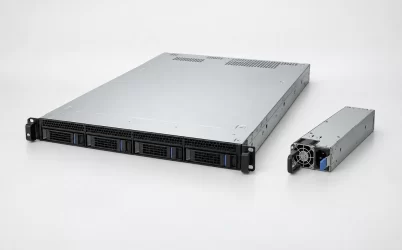
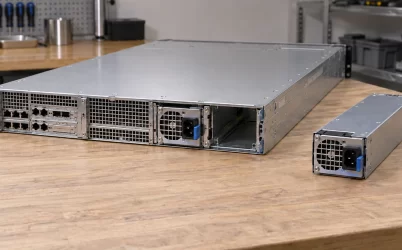
A removable server module often ends differently. It slides into a bay and blind-mates with a backplane or power-distribution board (PDB). The PDB may combine outputs from two modules, isolate a failed source, route a main DC bus and standby power, and pass status or management signals toward the host. Even if both supplies ultimately deliver 12 V, a loose desktop cable cannot replace the mating connector, guide rails, latch, PDB contacts, and host firmware expectations. An adapter that changes the plug shape does not recreate the rest of this interface.
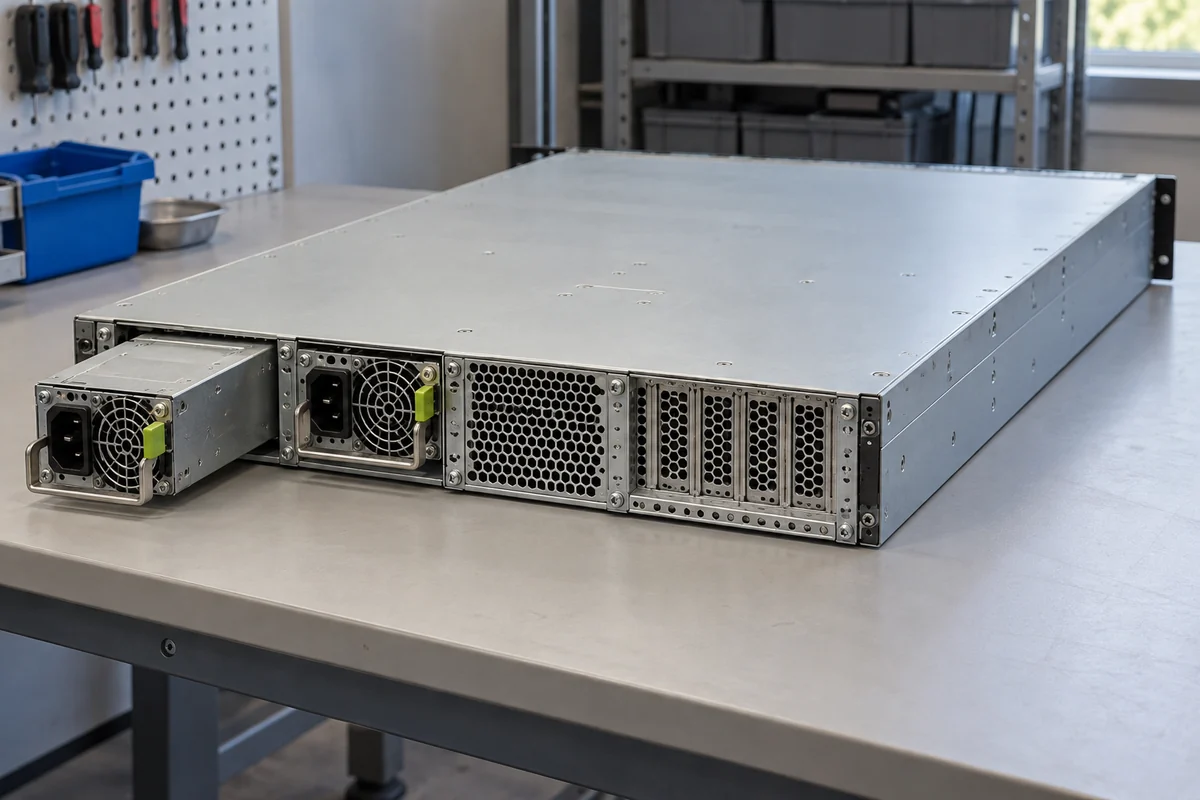
Consider a rack server whose two rear modules each mate to one distribution assembly. Removing those modules leaves not merely two missing AC-to-DC converters but two empty mechanical bays and absent blind-mate contacts. Placing a desktop ATX box nearby would require a redesigned route for DC power into the motherboard and its branch loads. That is a chassis and distribution redesign, not an inexpensive replacement PSU. It may also change protection, service access, airflow, and the host’s fault detection.
The reverse conversion has the same problem. A bare server module bought cheaply as a spare may have no useful cabled output for a desktop motherboard. It may expect an enable sequence, standby rail, presence or current-share contacts, and thermal environment supplied by its intended chassis. A third-party breakout board can make some models useful in a specialized bench or hobby application, but that is a separate engineered system. It does not establish ordinary ATX motherboard compatibility or make the original server module a drop-in desktop replacement.
Service is designed into the bay, not added by a power rating
Many enterprise racks value a replaceable PSU because a failed unit can be removed without opening the computer. That capability depends on the host’s supported redundancy state, connectors, isolation behavior, and service instructions. A hot-plug label on the module alone is insufficient: the remaining unit must support the load, the PDB must contain the failed path, and the platform must permit the operation. Some servers have one removable-style PSU but no installed reserve. Others operate with two units yet restrict service under particular fault or workload conditions.
A conventional desktop ATX installation follows a different maintenance model. The PSU is fixed into the case, its cables connect to several loads, and replacement generally means shutting the machine down, disconnecting input power, opening the enclosure, and moving those plugs. That is not inherently a flaw. It can be sensible for a workstation or server whose maintenance window allows shutdown and whose chassis was designed around cabled service. Hot-swap hardware earns its additional bay, backplane, and control complexity when uptime requirements justify it.
Do not infer redundancy from the number of physical power connectors. Two modules on one upstream PDU share that PDU failure domain, and two desktop supplies wired into a computer do not automatically form a safe redundant pair. They need a designed combining, isolation, and control architecture. In a 1+1 server arrangement, each surviving module normally has to support the allowed workload on its own under the deployed input and thermal conditions. Adding the nominal ratings of two modules can exaggerate protected capacity.
Management signals and firmware can decide whether the host accepts a PSU
The desktop and server ecosystems both include control signals, but the signal contract is not universal. A desktop motherboard may expect the relevant ATX-family enable, power-good, standby, and auxiliary-power behavior for its specified supply. A server platform may additionally interrogate a removable module, log its identity and status, coordinate current sharing, and signal loss of redundancy to a baseboard management controller (BMC). These behaviors depend on the selected PSU, connector definition, firmware, and host generation.
It would be wrong to say desktops never have telemetry or that every server PSU reports data over PMBus. Some desktop designs have sophisticated reporting, and some server supplies expose a limited set of discrete status pins. The practical difference is that server platforms often integrate the PSU into an operational management and replacement policy. A converter can produce an apparently acceptable voltage while the host reports an unsupported part, runs fans unexpectedly, limits power, or refuses to start because a required sideband behavior is missing. The output rail alone cannot settle compatibility.
The same warning applies to near-identical server modules. Two cartridges can share dimensions and wattage yet differ in connector keying, standby output, airflow direction, PMBus address behavior, firmware identity, or the combination the host allows in a pair. That is why a server spare should be matched against the exact platform and supported part information. A desktop substitute with the right headline wattage is an even larger leap across incompatible assumptions.
Cooling and sound follow the chassis, not the market label
A desktop PSU commonly lives in a case that gives it a defined intake and exhaust region. Its own fan design, case vents, dust filter, and nearby cables affect temperature and sound. A compact rack server may push air through densely packed modules under a system fan controller, rely on a PSU’s internal fan, or combine both. The module’s inlet may be at a different side from a desktop unit’s. Installing a box that blocks the server’s original path can overheat adjacent components even if the replacement converter itself has adequate electrical capacity.
Noise is also conditional. High-density rack modules can be loud because the package and pressure drop demand small, fast fans. But “server PSU” does not guarantee a particular sound level, and “desktop PSU” does not guarantee quiet operation. Fan curves vary with load, inlet temperature, chassis airflow and firmware. In an office tower server, an approved ATX-style supply may be a reasonable acoustic choice; in a one-rack-unit chassis, the same physical product may not fit or may obstruct the fan wall. It is the whole thermal path, not the market name, that sets the usable result.
Efficiency labels likewise do not decide the comparison. A desktop supply and a server module could carry similar 80 PLUS tiers but be certified in different categories or tested under different input conditions. Their useful operating points may also differ: a redundant pair shares the load, so each module can run at a lighter fraction of its rating than a single desktop supply serving the same machine. Energy and heat comparisons require the exact models, load distribution, input voltage, and efficiency curves. They cannot be read from “server” or “desktop” printed on a seller page.
When a desktop-style unit belongs in a server
The most straightforward valid case is a server chassis whose original design explicitly calls for an ATX-family PSU. Some tower, workstation-server, storage, and larger rack cases have the space, mount, motherboard connectors, and airflow for a cabled unit. The owner still needs a compatible documented model: a nominal ATX outline does not guarantee correct cable length, CPU power connectors, input capacity, thermal rating, or suitable operation with the installed board. But the presence of an ATX supply in a server is not, by itself, a compromise or a misuse.
A desktop enclosure using a server module is less straightforward because the chassis normally lacks the blind-mate bay and power-distribution assembly. Purpose-built hardware can bridge that gap in a specialized design, yet the engineering and service conditions are those of the new system, not of the original server or ordinary desktop. The stronger reason to use a removable server module is usually a host already designed for its interface and service model. Price or an attractive wattage number alone cannot provide that design.
For a specific replacement, identify the host’s approved PSU type before considering wattage. If the server has a cabled ATX-style unit, compare the exact ATX variant, connector set, mechanical clearance, input, available output, and cooling. If it has a removable cartridge, compare the exact bay and mating assembly, supported module identity, sideband behavior, redundancy configuration, and input-dependent capacity. For a desktop considering a server module, assume no direct interchangeability unless the enclosure and distribution hardware were explicitly designed for it. That boundary answers the comparison more honestly than a list of supposedly universal “server-grade” advantages.