A tower server power supply should be shortlisted against an exact server and its actual installation site, not against the word “tower.” Record the tower model and applicable revision, installed power architecture, current PSU or assembly identity, required workload state, available electrical source, airflow clearances, and service access. Then use manufacturer documentation to connect each candidate to that configuration. A generic server-PSU listing can reveal possible products, but matching wattage, efficiency, shape, or connector appearance does not prove that a supply is supported in the target tower.
Quick answer: identify the tower and its location before comparing offers
Begin with the manufacturer, exact server model, machine type or revision where applicable, and the identifiers on the installed power hardware. Establish whether the tower uses a fixed cabled supply, a removable module, two hot-plug modules, or a complete cage and distribution assembly. Next, document the outlet or UPS source, cord route, ventilation clearance, access needed to remove the supply, and the workload that must remain online after a permitted power failure. Only compare offers whose manufacturer records support that host relationship and whose shipment includes the hardware the installation requires.
The word “tower” stops at the chassis wall
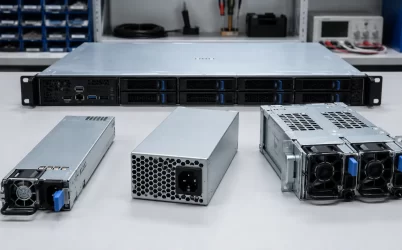
Tower describes the server enclosure and its placement orientation. It does not define a universal PSU form factor, pinout, wattage, or redundancy design. Two tower servers of similar external size may use substantially different power arrangements. One may contain a fixed supply connected directly to the motherboard and drives. Another may use removable modules that engage a power distribution board, while a larger tower may offer an optional two-module power cage.
That variation changes both the replacement part and the work required to install it. A fixed supply may include captive or detachable downstream cables and may require shutdown, side-panel removal, and internal cable access. A removable module may be only one element of a host-specific assembly. A redundant upgrade can require more than adding a second converter if the installed tower lacks the applicable cage, PDB, harness, firmware support, or manufacturer option.
For this reason, the first description in a tower deployment record should name the installed architecture rather than repeat a marketplace category. Useful descriptions include:
- one fixed internal PSU with identified motherboard and peripheral connections;
- one removable PSU module installed in a platform-defined bay;
- two removable modules connected through the tower’s supported distribution assembly; or
- a complete power option consisting of modules, cage, distribution hardware, and specified accessories.
This classification does not establish compatibility by itself. It prevents a module-only spare, upgrade kit, and complete assembly from being treated as equivalent purchases.
A tower shortlist begins with the installed machine
The server label is the most reliable starting point because one product family can contain several chassis, motherboard, processor, storage, and power configurations. Capture the exact model, serial or service identifier, machine type, and revision fields that the manufacturer uses. Do not shorten that identity to a broad family name if the platform documentation distinguishes configurations within the family.
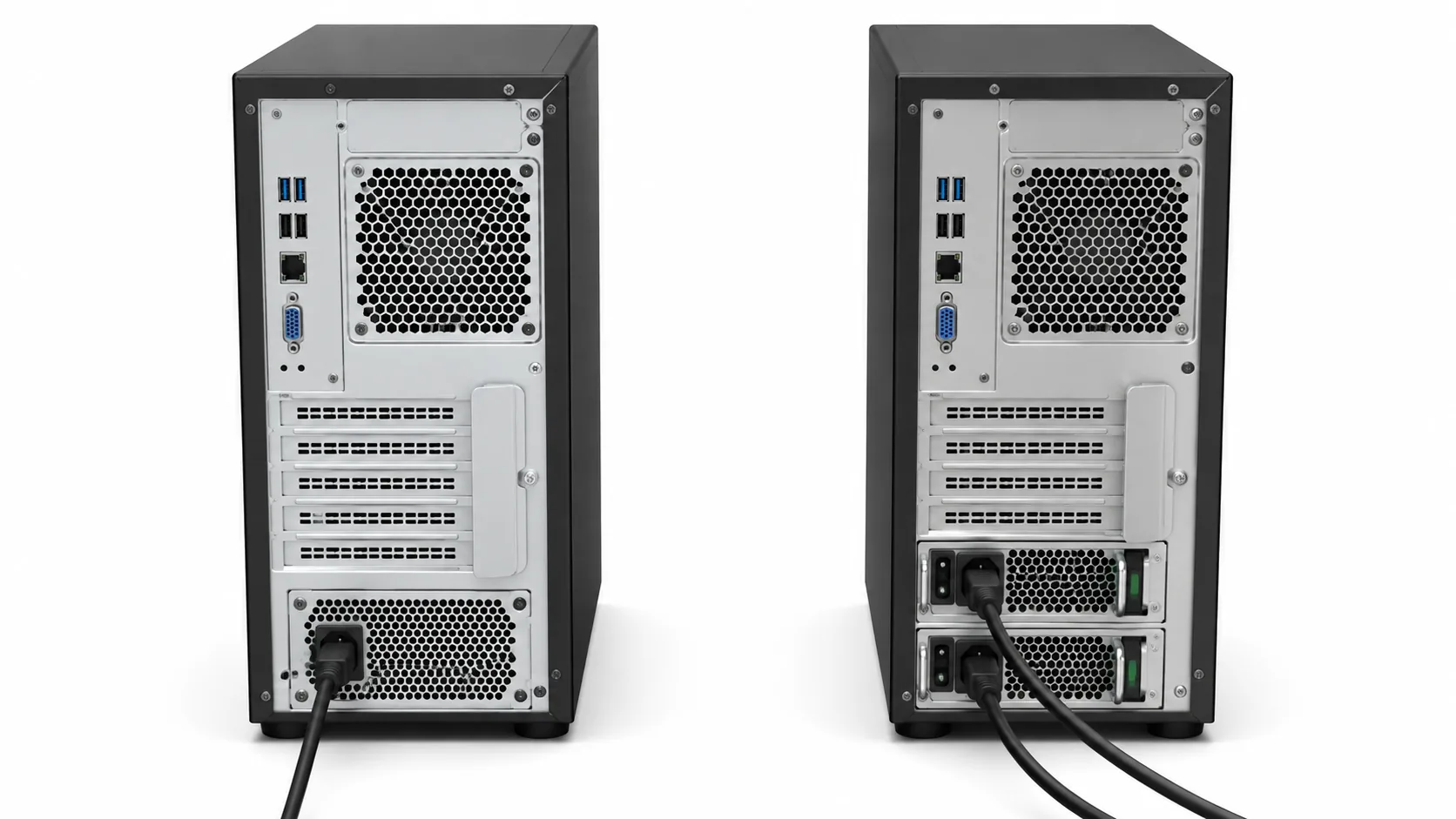
Next, photograph or transcribe the accessible PSU labels and note the number and position of occupied power bays. For removable systems, record the module identifiers from both bays rather than assuming they are identical. Where service documentation exposes the cage, PDB, or power-option identity, keep that relationship with the host record. An identifier copied from an online photograph is not a substitute for the installed label or the manufacturer’s applicable parts information.
The server configuration also matters. Processor count, accelerator cards, memory population, storage devices, and other supported options can affect which power configuration the manufacturer permits. The relevant question is not simply whether a candidate has a higher nameplate wattage. It is whether the platform documentation associates that exact supply or option with the configured tower and the intended operating conditions.
A compact tower-host profile should therefore contain:
- Host identity: manufacturer, exact model, applicable type or revision, and service identifier.
- Installed power hardware: PSU part identifiers, quantity, bay arrangement, and cage or distribution identity where available.
- Server configuration: major installed components that affect the platform’s supported power options.
- Required state: normal workload, startup, permitted maintenance state, and any workload that must continue with one power path unavailable.
- Change scope: failed-part replacement, restoration of a missing module, or installation of a manufacturer-supported tower option.
If a candidate appears plausible but its body, latch, connector position, or extraction path remains uncertain, escalate that question to a model-specific server PSU mechanical fit drawing. Basic dimensions can screen candidates, but the host identity should decide which candidates deserve that detailed work.
The installation site can disqualify an otherwise supported option
A PSU may be supported by the tower platform yet unsuitable for a particular deployment if the site cannot preserve its documented input, cooling, or service conditions. This is especially relevant when a tower is installed beside a desk, inside furniture, in a branch-office equipment room, under a laboratory bench, or in an industrial control area rather than in a rack with controlled cable and airflow management.
Trace the source to the PSU inlet
Record the source available at the intended location and compare it with the input information for the exact PSU and server configuration. Include the outlet or UPS connection, cord set, plug and inlet relationship, and any documented limits that affect output capability. If the tower has two PSU inlets, note whether both cords terminate on one power strip or reach separate sources. Two modules connected to one upstream point may protect against one converter failure while remaining exposed to loss of that shared point.
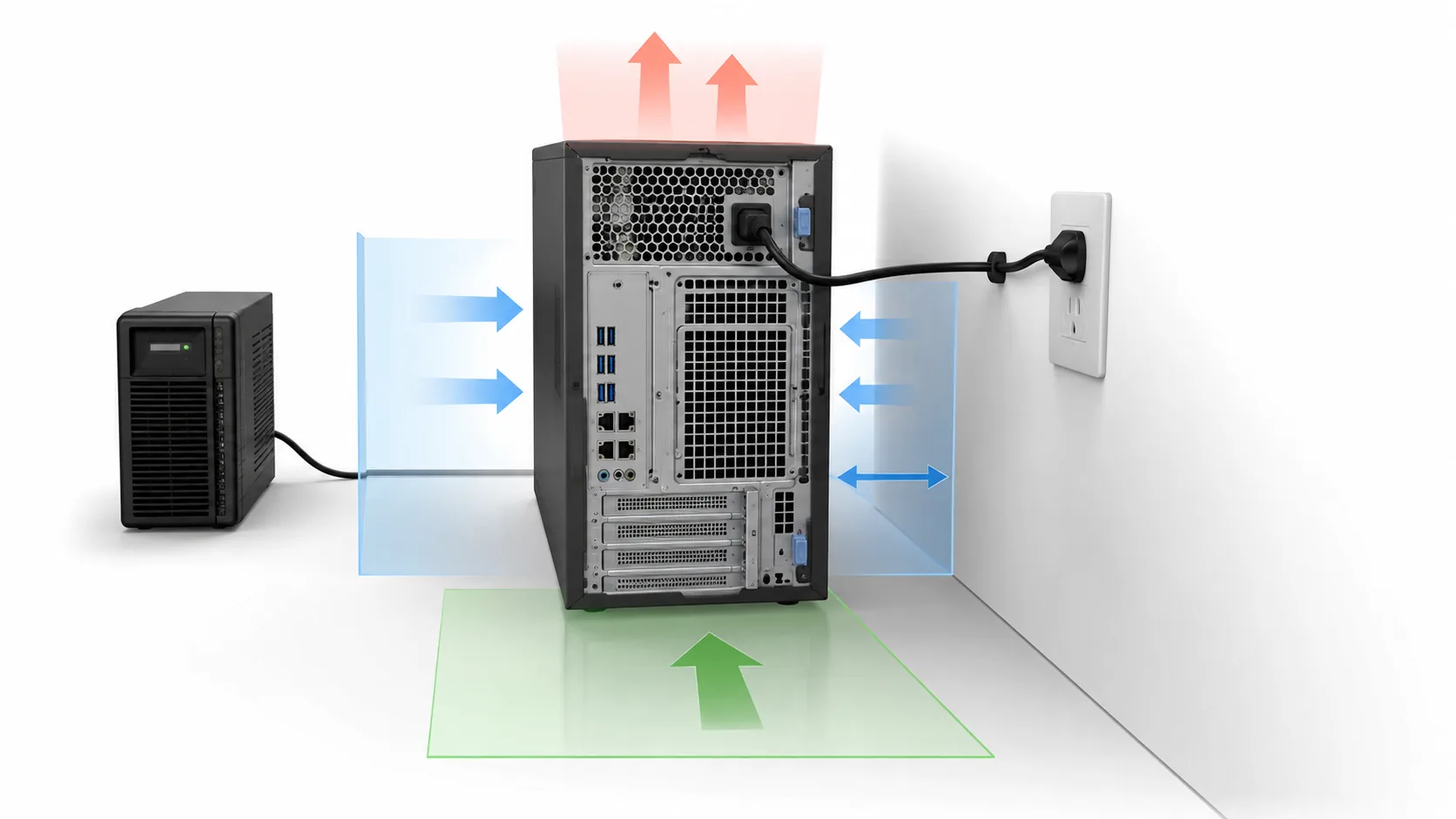
The cord route must also avoid sharp bends, tension at the inlet, pinch points, and interference with ventilation or access panels. A tower pushed close to a wall may have enough room for a plug but not enough room to preserve a reasonable cable bend or remove a hot-plug module.
Reserve air space around the installed enclosure
Use the server installation documentation to identify air inlets, exhaust openings, orientation requirements, ambient limits, and prohibited obstructions. Do not assume that every tower draws air through the same surfaces. Side vents can be especially important when the enclosure is placed beside furniture or another machine. Rear exhaust clearance may compete directly with the cord bend and technician access zone.
The thermal review should reflect the configured server, not an empty chassis. A supported power option can change heat dissipation, fan policy, or airflow requirements. Any temperature, altitude, or dust limitation that applies at the planned site should remain attached to the deployment record rather than being replaced by a generic “indoor use” description.
Service access is part of the occupied footprint
The usable footprint includes more than the tower’s base. A fixed PSU replacement may require lateral space to remove a side panel, disconnect internal harnesses, and lift or slide the supply from its mounting position. A hot-plug module needs a clear extraction line behind the chassis. The technician may also need to read labels, operate latches, support the module, and avoid disturbing neighboring cords.
These service zones should be assessed in the final location. A tower that fits beneath a desk may still be unserviceable until it is disconnected and moved, which changes the meaning of “hot-plug” for that deployment even if the module itself supports live replacement.
Commercial listings describe shipments, not tower support
Product-heavy search results are useful for discovering candidates, but their titles often compress several different purchase scopes. Interpret each offer by what will arrive and by the manufacturer relationship it can substantiate.
| Listing description | Possible shipment | Question that remains |
|---|---|---|
| Replacement power supply | One fixed supply or one removable module | Which exact tower models and revisions support this identity? |
| Redundant PSU pair | Two modules, sometimes without a cage or PDB | Does the target tower already contain the required distribution assembly? |
| Server power option | A platform option or kit with model-specific contents | Which parts, cords, carriers, and installation hardware are included? |
| Complete power assembly | Modules plus some combination of cage, PDB, or harnesses | Is every required component identified, and is the assembly supported by the host? |
A manufacturer option tool can narrow this search. For example, Lenovo’s server power-supply option finder provides an OEM route for examining power options within its platform ecosystem. Such a tool is stronger than an unaffiliated compatibility claim, but its records still need to be reconciled with the exact tower, option description, applicable documentation, and shipment being quoted.
For other tower brands, use the corresponding manufacturer’s parts catalog, option guide, service manual, or supported-configuration record. A retailer can describe availability and commercial condition; it should not become the sole authority for a host relationship that the server manufacturer defines.
Before comparing price, rewrite every surviving offer into one sentence: exact manufacturer and part identity, revision or documented supersession, quantity, physical scope, included accessories, stated condition, and supported host relationship. If the seller reserves the right to ship an unspecified equivalent, the host-to-part connection has not been preserved.
Two PSU bays need an operating-state statement
A tower with two installed modules is not automatically protected against every power interruption. The platform may operate the modules as a redundant pair, use both for the configured load, apply a power-management policy, or restrict redundancy under particular configurations. Establish the manufacturer-supported mode before treating the second bay as resilience.
Describe the tower in four states: normal operation with all modules available, operation with one permitted module unavailable, operation after loss of one upstream source, and restoration after service. For each state, identify the workload that may continue and any platform restriction that applies. If both modules are required to carry the configured demand, two occupied bays provide capacity but may not provide full module-loss protection.
The source paths matter separately. Two modules fed from one outlet strip do not create independent A/B power. Conversely, two separate feeds do not eliminate shared components inside the tower, such as the distribution assembly or motherboard power path. A concise server dual-power-supply failure-boundary analysis can help distinguish module protection from upstream-source and shared-hardware protection without turning the tower qualification into a broader redundancy design project.
Live removal should be considered only when the exact platform documentation permits it, the surviving configuration supports the allowed workload, and the site procedure makes the operation safe. A removable handle is a mechanical feature; it does not independently authorize replacement under load.
The order should preserve the host-to-site relationship
The purchase line should name the exact supplied object rather than repeat “tower server power supply.” Include the manufacturer part number, applicable revision or approved supersession, quantity, condition, and whether the shipment is a fixed supply, removable module, pair, option kit, or complete assembly. Itemize required carriers, cage, PDB, harnesses, cords, fasteners, and documentation when they are part of the expected scope.
Attach the tower identity and installation profile to the technical approval even if the supplier does not need every site detail on the commercial invoice. That profile should state the target host, installed architecture, required operating state, source arrangement, airflow restrictions, and service-access assumptions. Unresolved conditions should remain visible rather than being converted into implied compatibility.
At receipt, compare the physical labels, revision, quantity, condition, and included hardware with the approved line item. Stop if a substituted identity, missing assembly component, damaged connector, or different airflow arrangement changes the evaluated configuration. Installation should follow the server manufacturer’s procedure, including shutdown where required. Afterward, confirm that the host recognizes the intended PSU population and reports the expected power or redundancy state.
The useful result of a tower server power supply search is therefore an exact host-supported part or option that can also operate and be serviced in the intended location. That host-to-site connection is what turns a broad commercial search into a purchase that belongs in the tower rather than merely resembling its existing power hardware.